

Smart Saunas Without WiFi: Manual Control & Offline Options
Table of Contents
- Can You Use Smart Saunas Without WiFi?
- How Remote Sauna Control Systems Work
- Smart Sauna Manual Control: Operating Without Internet
- Sauna Heater Remote Start Regulations and Safety Standards
- Infrared vs. Traditional Sauna Control Systems
- Troubleshooting Sauna App Connectivity Issues
- Security and Privacy Risks of Smart Sauna Connectivity
- Retrofitting Existing Saunas with Smart Controllers
Last Updated: August 3, 2026
Can You Use Smart Saunas Without WiFi?
Yes, you can use smart saunas without WiFi. Most modern smart saunas include manual override features and physical control panels that allow full operation without any internet connection. A smart sauna's core function, heating water and air to a target temperature, is a mechanical process that doesn't require WiFi. Remote app access, scheduling, and cloud-based analytics require connectivity; strip those away and you have a sauna that works like traditional models have for decades.
How Remote Sauna Control Systems Work
Remote sauna control systems operate through layered connectivity. The sauna's smart controller manages temperature, timing, and safety protocols and communicates with your smartphone or home automation system through one of three pathways: WiFi to your router, Bluetooth to your phone, or hardwired connections to a local control panel. The system doesn't need the internet to function; it needs a way for commands to reach the heater unit.
Connectivity Requirements: WiFi vs. Bluetooth vs. Hardwired
WiFi-enabled saunas let you preheat from anywhere. If your network goes down, WiFi-based remote access stops working, though the sauna continues operating on manual controls.
Bluetooth pairs your phone directly with the sauna's controller. Range is typically 30-100 feet depending on obstacles. Bluetooth doesn't require internet and the connection is local and direct. You can't control the sauna remotely from outside your home, but connection stability depends only on line-of-sight and electromagnetic interference.
Hardwired control systems use a physical cable from a wall-mounted control panel to the heater unit. This is the most reliable method because there's no wireless signal to drop. They're immune to network failures and require only physical buttons and dials.
What Happens When Your Network Goes Down
When your home WiFi fails, a WiFi-enabled smart sauna reverts to its built-in manual controls. The heater unit itself isn't dependent on the network. What stops working is remote app access and automated scheduling. A sauna with multiple connectivity options, WiFi for convenience, Bluetooth for backup, and manual buttons for reliability, gives you the most flexibility.
Smart Sauna Manual Control: Operating Without Internet
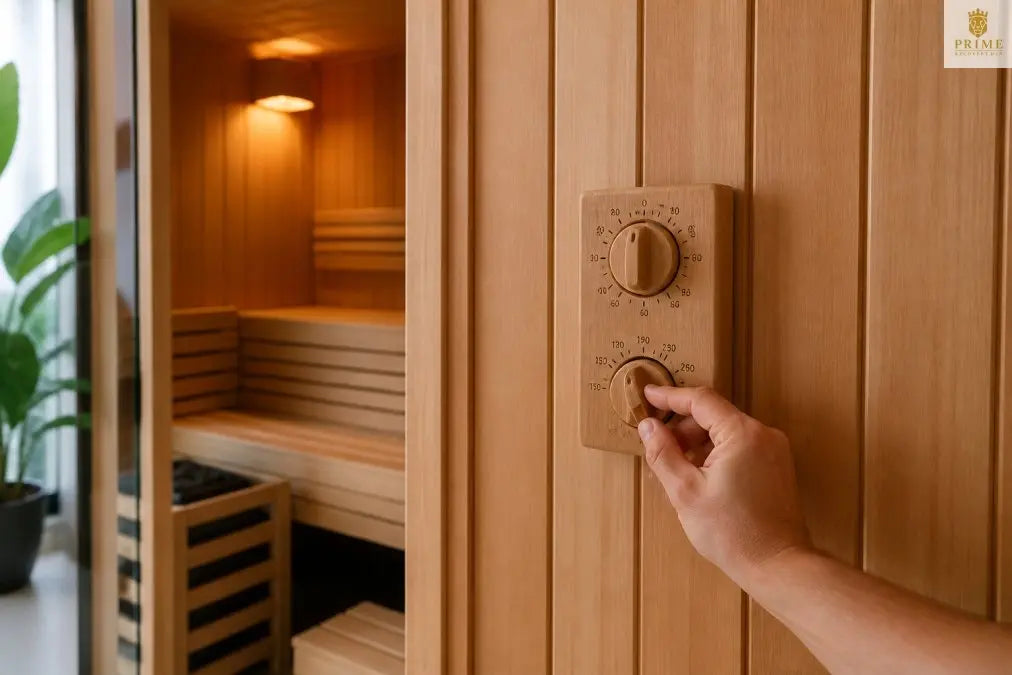
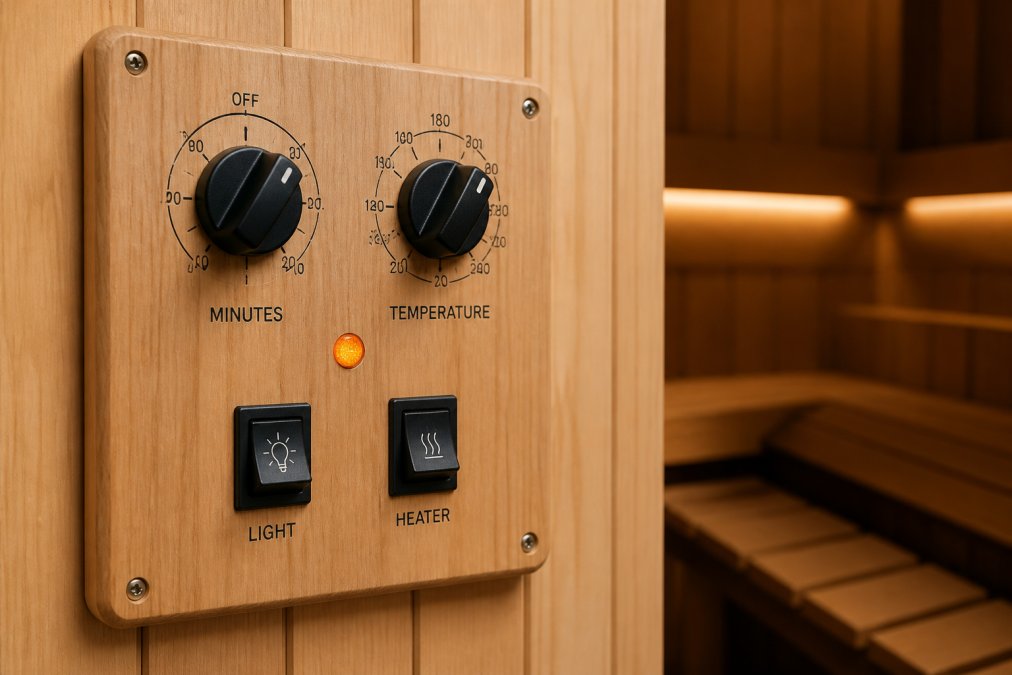
Manual control involves using the physical interface: a power button, temperature adjustment dial or buttons, a timer, and status indicators. Manual operation doesn't give you remote access, but it gives you direct, immediate control without digital intermediaries.
Built-In Manual Override Procedures
Most smart saunas have override procedures documented in their user manual. To activate manual override, you typically power off the sauna completely, hold the power button for 10-15 seconds until a specific light pattern appears, then release and confirm using the physical buttons. The control panel now operates independently of any network.
Once in manual override mode, the sauna won't attempt to connect to WiFi or cloud services. Firmware updates won't install automatically and scheduled automations won't run.
Physical Control Panels and Direct Heater Operation
Physical control panels vary by sauna type. An infrared sauna control panel typically shows a digital display with temperature and time remaining, with buttons to adjust temperature in 1-degree increments and set the timer in 5 or 10-minute intervals. Direct heater operation means the control panel communicates directly with the heater unit through hardwired connections. There's no WiFi gateway or Bluetooth intermediary, making hardwired systems highly reliable.
Sauna Heater Remote Start Regulations and Safety Standards
Remote start capability in sauna heaters is governed by electrical safety codes and product safety standards. In the United States, sauna equipment must meet UL (Underwriters Laboratories) standards for electrical safety and thermal management.
UL Certification and Manual Operation Requirements
UL 1022 is the standard for household electric sauna heaters. It requires that sauna heaters include thermal cutoff protection, ground fault circuit interrupter (GFCI) protection, and manual controls that operate independently of any electronic system. A UL-certified sauna must have a mechanical thermostat or hardwired temperature sensor that cuts power if temperature exceeds a safe threshold, regardless of whether the WiFi is working. The standard also mandates that remote control systems cannot be the sole means of turning the sauna on or off.
Safety Protocols When Operating Offline
Operating a sauna offline doesn't reduce safety compared to app-based operation. Safety protocols for offline operation include never leaving a sauna unattended while it's heating, checking the manual temperature display before entering, setting a timer, ensuring adequate ventilation, and verifying that thermal cutoff switches are functional before each use. The thermal management system operates the same way offline or online.
Infrared vs. Traditional Sauna Control Systems
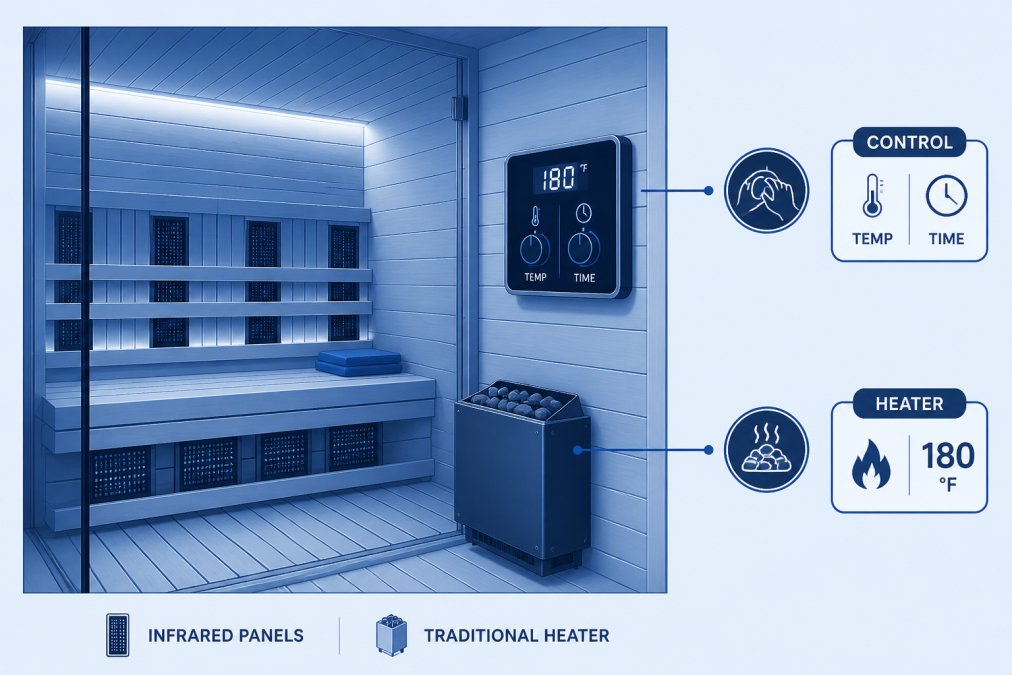
Infrared and traditional saunas have fundamentally different heating mechanisms, which affects how their control systems work and whether they require WiFi connectivity.
Which Systems Require Constant WiFi Connection
Traditional saunas heat the air using a central heater element. Control is simple: manage the heater's power level and monitor air temperature. Traditional sauna controllers don't inherently require WiFi. Even smart traditional saunas can run indefinitely on manual controls if the network fails.
Infrared saunas use multiple infrared heating elements positioned around the cabin. Each element can be controlled independently, allowing for zone heating and more precise temperature management. This complexity makes WiFi and app control attractive, but infrared saunas can still operate offline using a control panel that manages all zones together or through a simplified manual mode. Neither system strictly requires constant WiFi connection.
Energy Efficiency Impact of Manual vs. App-Based Control
Energy efficiency depends more on how you use the sauna than on whether you control it manually or through an app. Manual operation typically means you turn the sauna on when you want to use it, wait for it to preheat, then enter. For users operating offline, establish a routine: turn on the sauna 20-30 minutes before your planned session, use it, then turn it off immediately.
Troubleshooting Sauna App Connectivity Issues
When your sauna app won't connect, the problem is usually one of four things: WiFi signal strength, Bluetooth range, firmware mismatch, or a temporary cloud service outage. Start by checking your WiFi strength using a WiFi analyzer app. Verify that your sauna location receives at least -70 dBm signal strength. For Bluetooth issues, ensure your phone's Bluetooth is enabled and the sauna is within 30 feet with a clear line of sight.
If the app won't connect despite good signal, restart both your phone and the sauna. Power off the sauna for 30 seconds, power it back on, and attempt to pair again.
When to Revert to Manual Operation
Revert to manual operation if troubleshooting takes more than 10 minutes or if connectivity issues occur repeatedly. Manual operation is also the right choice if you value simplicity and don't need remote access. If you use your sauna at home and you're present when you use it, there's no practical advantage to app control.
Common Connectivity Problems and Solutions
Problem: App connects but loses connection mid-session
- Solution: Check WiFi stability by running a speed test from your phone in the sauna location. If speeds fluctuate, reduce other WiFi usage, move the router, or switch to manual controls.
Problem: Bluetooth pairs but won't send commands
- Solution: Forget the device in your phone's Bluetooth settings and re-pair from scratch.
Problem: App shows sauna offline but the sauna is on and heating
- Solution: Check the physical control panel to verify the sauna is heating correctly and use manual controls.
Problem: Firmware update fails and sauna won't turn on
- Solution: Unplug the sauna for 60 seconds, then plug it back in. The sauna should boot into recovery mode that allows you to retry the update or roll back to the previous version.
Security and Privacy Risks of Smart Sauna Connectivity
Connected saunas collect data about your usage patterns: when you use the sauna, how long you stay, what temperature you prefer. This data is transmitted to the manufacturer's servers to enable app functionality and analytics. Manual operation eliminates data collection entirely.
Why Manual Operation Offers Privacy Advantages
Manual operation removes all data collection. The sauna heats, you use it, and no record is created beyond your own memory. No server logs your session. If privacy is a priority, manual operation is the clear choice. Before purchasing a WiFi-enabled sauna, check whether the manufacturer allows anonymous operation or requires account registration.
Firmware Updates and Offline Security Concerns
Firmware updates patch security vulnerabilities in the sauna's controller. When your sauna operates offline, it can't receive updates, which means any vulnerabilities remain unpatched. This is a real security risk if your sauna is connected to your home network, though the practical risk is low because saunas are relatively simple devices. For maximum security, choose a sauna that receives regular firmware updates and install them promptly. For maximum privacy, choose manual-only operation and accept that you won't receive security patches.
Retrofitting Existing Saunas with Smart Controllers
If you own a traditional sauna without smart controls, retrofitting is possible but requires careful planning. You're replacing or supplementing the existing control system with a new smart controller.
Hardware Compatibility Matrix for Offline Operation
Retrofit compatibility depends on your existing heater type and electrical configuration. Electric heater saunas are easiest to retrofit because the heater is already wired to a control panel. Wood-fired saunas are difficult to retrofit because the heating is mechanical. Steam saunas have different electrical requirements than dry saunas, and retrofit controllers must be rated for steam environments. For all retrofit scenarios, decide whether you want WiFi connectivity or offline-only operation.
Installation Considerations for Manual and Wireless Dual Connectivity
Dual connectivity retrofits require running new wiring to the heater unit if your existing setup only has hardwired controls. Installation typically involves powering off the sauna, disconnecting the existing control panel, installing the new smart controller, running new wiring if required, configuring wireless connectivity, and testing all control modes. This is not a DIY job for most people. Sauna heaters operate at high power (typically 4,000-8,000 watts) and improper wiring can create fire hazards. Hire a licensed electrician familiar with sauna installation. For offline operation after retrofit, ensure the new controller includes a manual mode that operates the heater without any network connectivity.
When you're investing in a high-end sauna for your home, the ability to operate your sauna offline gives you the flexibility to use your equipment on your terms. Prime Recovery Den offers saunas with multiple connectivity options, including full manual override capability, so you can choose the level of smart integration that fits your lifestyle. Whether you prefer the convenience of app-based preheating or the simplicity of physical controls, your sauna should work the way you want it to. Explore our collection of saunas with flexible control systems and find the setup that transforms your home into the restorative sanctuary you deserve.
Frequently Asked Questions
Can I operate a smart sauna without an internet connection?
Yes, most smart saunas include manual override procedures that allow offline operation. Physical control panels on the heater unit or sauna stove provide direct access to temperature regulation and timer settings without requiring WiFi or mobile app connectivity. However, you lose automation features and remote preheating capabilities. Check your sauna's user manual for specific manual operation instructions, as procedures vary by manufacturer and heater model.
What happens to my smart sauna if WiFi goes down?
Smart saunas with proper manual controls remain fully functional during network outages. The heater unit itself operates independently of connectivity. You simply switch from app-based control to the physical control panel. Traditional sauna stoves and most infrared sauna heaters have mechanical or hardwired backup systems. Some smart controllers store basic settings locally, so your preferred temperature and timer defaults remain accessible even without internet.
Are smart sauna manual controls subject to safety regulations?
Yes. Sauna heater remote start regulations require UL certification and compliance with thermal management safety standards. Manual operation must meet the same safety protocols as app-based control. The sauna stove or heater unit must have proper shutoff mechanisms, temperature limits, and emergency stop functions regardless of how you operate it. Always verify that your smart controller retrofit or new sauna meets applicable UL standards and includes manual operation safeguards.
Should I choose manual control or smart connectivity for my home sauna?
Consider your priorities. Smart app-based control offers convenience and preheating from your phone, but requires stable WiFi and creates privacy concerns. Manual operation provides reliability, privacy, and offline independence without network dependency. Many homeowners prefer dual connectivity systems that support both methods. If you have unreliable internet or value privacy, prioritize saunas with robust manual controls. If convenience matters most and your network is stable, smart features enhance your experience without compromising safety.


Leave a comment
This site is protected by hCaptcha and the hCaptcha Privacy Policy and Terms of Service apply.