

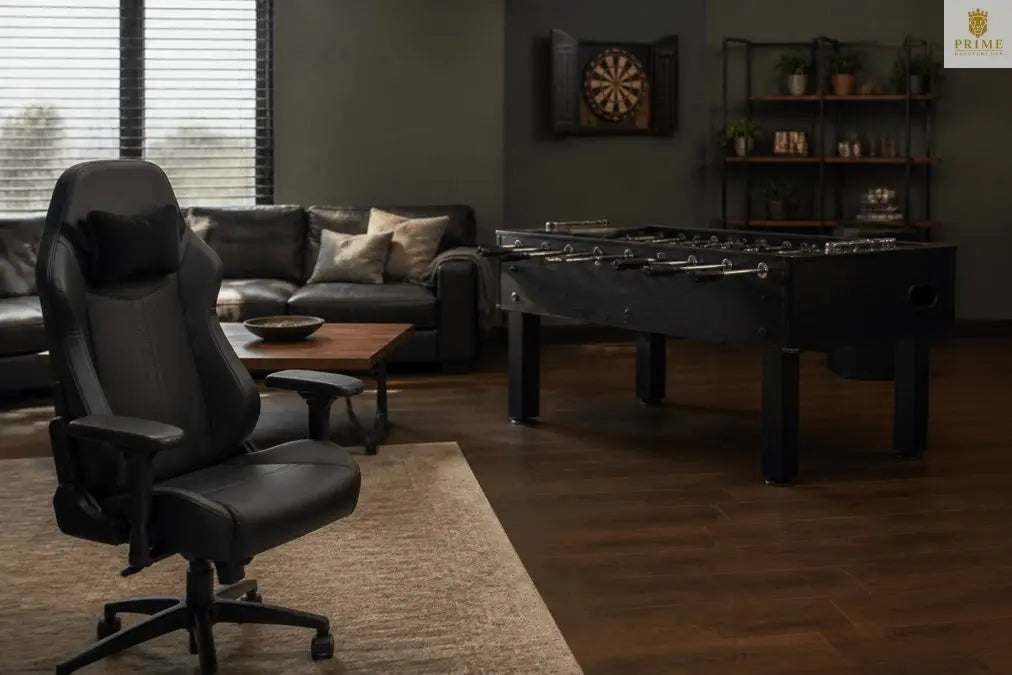
Modern Home Gaming Room Furniture Ideas
Table of Contents
- Gaming Room Furniture Essentials: What You Need
- Ergonomic Gaming Chairs for Long Sessions
- Minimalist Gaming Desk Setup for Maximum Performance
- Gaming Room Lighting Ideas for Ambiance and Function
- Display Shelving and Wall Decor for Collectibles
- Multi-Functional Spaces: Gaming and Guest Room Combos
- Acoustic Treatment and Sound Management
- Creating Your Gaming Room Layout
Last Updated: August 12, 2026
Gaming Room Furniture Essentials: What You Need
Building a modern home gaming room starts with understanding what actually matters: furniture that balances comfort, functionality, and aesthetics. At Prime Recovery Den, we recognize that gaming spaces deserve the same intentional design as any premium home sanctuary.
The foundation rests on three pillars: a chair supporting your body during extended play, a desk configured for your specific setup, and storage solutions that keep your space organized. Each element defines how you experience the space, influences your performance, and shapes how guests perceive your home.
Avoid treating gaming room furniture as an afterthought. Envision your complete setup before purchasing anything, consider your monitor configuration, peripheral layout, and how you'll actually spend your time. This forward-thinking approach prevents costly mistakes and ensures every piece works cohesively. A well-designed space signals intentionality, separating a gaming room that feels like a cluttered hobby corner from one that feels like a genuine sanctuary.
Ergonomic Gaming Chairs for Long Sessions
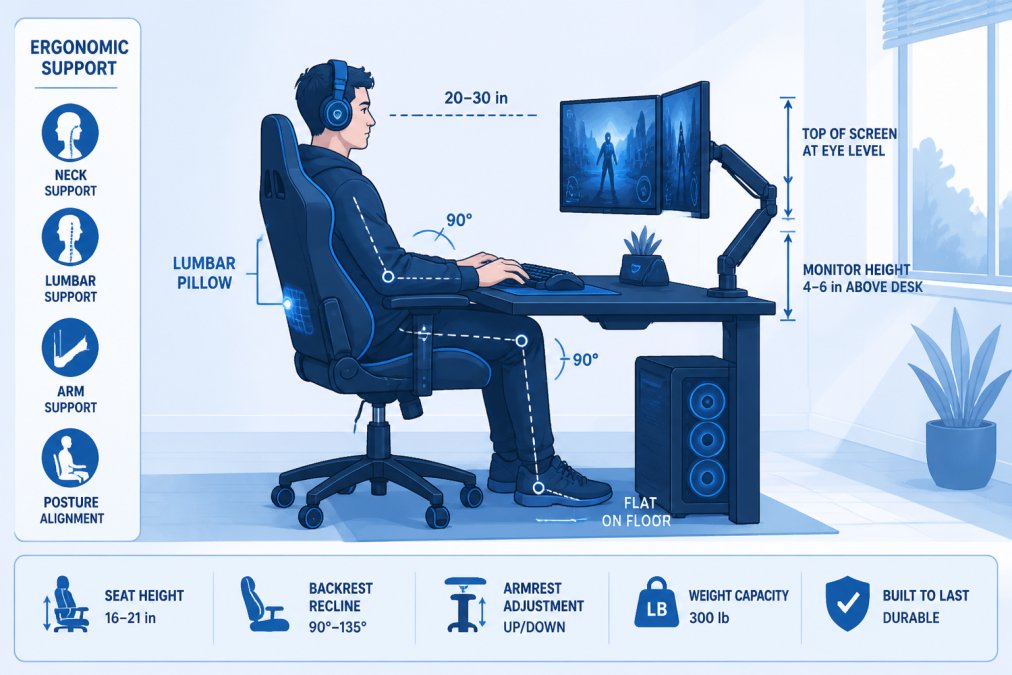
The gaming chair is non-negotiable. This single piece determines whether you can comfortably game for three hours or shift uncomfortably after forty minutes. Ergonomic gaming chairs address the real problem: standard office chairs force your spine into compromised positions over time.
Lumbar Support and Adjustability
Your lumbar region bears most of your body weight when sitting. A chair without proper lumbar support forces your spine into a C-curve, causing fatigue and pain during extended sessions. Look for chairs offering adjustable lumbar support customized to your spinal curvature.
The GTRACING Gaming Chair (Cozy Series CH511 Clover Plus) exemplifies this approach with a dedicated lumbar support pillow you can position precisely where needed. The chair features a wider seat and taller backrest than standard gaming chairs, with 20% thicker padding, essential for sessions longer than two hours. Height-adjustable armrests prevent shoulder strain, a common problem when armrests are fixed incorrectly relative to your desk.
The Eureka Ergonomic Typhon Hybrid chair includes fully adjustable height, armrests, and recline with a sturdy steel frame rated for up to 300 pounds. Independent recline and tilt tension controls let you lock the chair at multiple angles depending on whether you're actively gaming or relaxing between sessions.
Bean Bag and Recliner Alternatives
Not every gamer wants a traditional gaming chair. Console gamers or streamers often prefer relaxed, lounge-style setups. Bean bags and recliners offer legitimate alternatives.
The Yogibo Max uses proprietary expanded polystyrene filling that molds to your body while maintaining firmness. It functions as a recliner, couch, or bed, making it genuinely multi-functional for gamers wanting their room to serve multiple purposes.
The RESPAWN 900 Console Gaming Recliner is specifically designed for console gamers. Independent recline and footrest operate separately, so you can extend your legs while keeping your upper body upright. A built-in cup holder and side pouch keep your controller and drink within arm's reach.
Minimalist Gaming Desk Setup for Maximum Performance
Your desk is the command center of your gaming room. A minimalist gaming desk setup means every surface element serves a purpose, nothing is decorative clutter, and cable management is invisible.
L-Shaped and Corner Desk Configurations
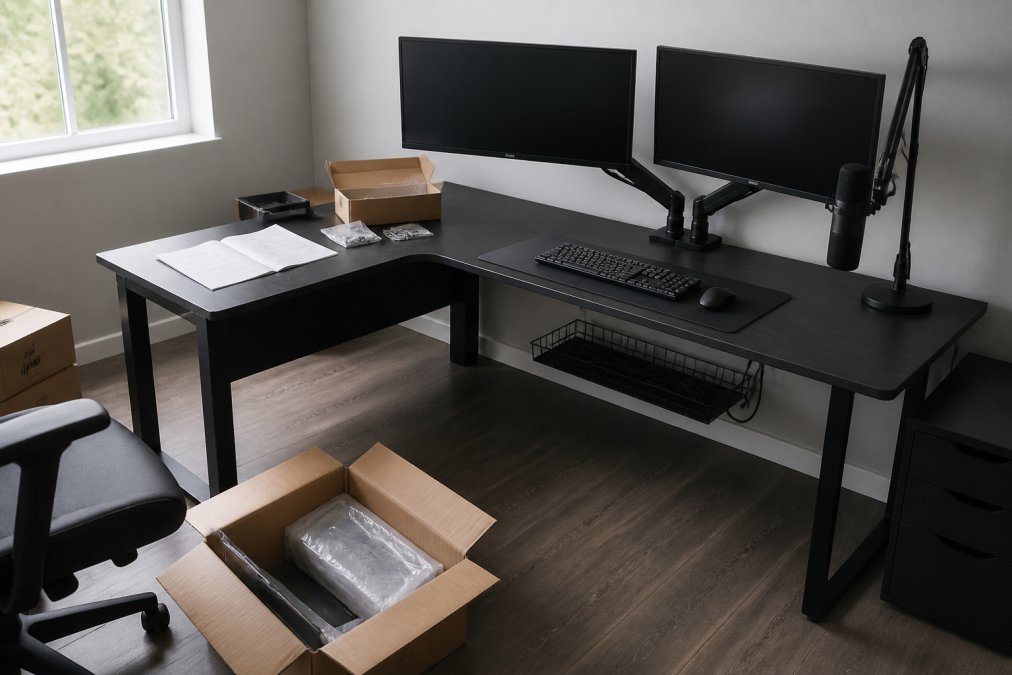
An L-shaped desk maximizes usable surface area without consuming more floor space than a traditional rectangular desk. The corner configuration positions your chair centrally with everything accessible without awkward reaching.
The UPLIFT Desk Electric Gaming Corner Desk is customizable to fit your room exactly. Electric height adjustment lets you transition between sitting and standing during long gaming sessions. The L-shape provides ample room for multiple monitors, mechanical keyboard, mouse pad, and still leaves clear surface space.
The key advantage is positioning your primary gaming monitor directly in front of you while your secondary monitor or streaming setup occupies the perpendicular section, preventing constant head turning.
Cable Management and Surface Organization
The difference between a sophisticated setup and an amateur one is whether cables are visible or hidden. Route cables behind your desk using cable trays or channels. Most quality gaming desks include integrated cable management solutions. Use Velcro cable ties to bundle similar cables together and label each bundle.
Surface organization means using a desk mat to define your active workspace. A quality desk mat (typically 24" x 48") protects your desk surface and provides a consistent surface for your mouse. Position your keyboard and mouse on the mat, centered for ergonomic reach. Keep your desk surface clear of everything except active peripherals.
Gaming Room Lighting Ideas for Ambiance and Function
Lighting transforms a gaming room from functional to sophisticated. The wrong lighting creates eye strain and reduces monitor visibility. The right setup balances task lighting for gameplay with ambient lighting that sets the mood.
LED Strips and RGB Customization
LED strips mounted behind your monitors serve a functional purpose: they reduce contrast between your bright monitor and the dark wall behind it, decreasing eye strain during extended sessions. This is ergonomics, not just decoration.
The Casacomoda RGB Gaming Glass Display Case demonstrates how LED lighting enhances collectible display. The 7-color RGB strips with 8 dynamic modes illuminate your gaming memorabilia so each piece is visible and appreciated, making your collection a focal point rather than items gathering dust.
Task and Ambient Lighting Balance
Position a desk lamp to the side of your monitor (not directly behind it, which causes glare). The light should illuminate your keyboard and mouse area without creating shadows on your screen. A warm-white LED desk lamp (3000K color temperature) is preferable to cool white, which causes eye fatigue during long sessions.
Ambient lighting should be softer and more diffuse. Wall-mounted LED strips behind furniture or corner uplighting creates depth and atmosphere without interfering with gameplay. The goal is enough light to navigate safely and comfortably without competing with your monitor's brightness.
Display Shelving and Wall Decor for Collectibles
Display shelving organizes your gaming collection while functioning as wall decor. The right shelving system makes your collectibles visible, protected, and integrated into your room's aesthetic.
The IKEA BESTÅ Display System offers modular flexibility. You can configure shelves to match your collection's needs, with glass doors to protect valuable items from dust. The system accepts integrated LED lighting, transforming how your collection appears.
The Casacomoda RGB Gaming Glass Display Case includes built-in RGB lighting with music sync, creating a cohesive sensory experience. When arranging collectibles, display your favorite items prominently and store duplicates elsewhere. This prevents your room from looking like a storage unit and maintains the sophisticated atmosphere you're building.
Multi-Functional Spaces: Gaming and Guest Room Combos
Not every home has a dedicated gaming room. Many homeowners need their gaming space to serve double duty as a guest room or office. This requires furniture choices that adapt to multiple purposes without compromising either function.
Select pieces that look intentional in any configuration. A premium gaming chair should be sophisticated enough to work as office seating. Your gaming desk should function as a workspace for non-gaming tasks. Your display shelving should complement traditional decor rather than scream "gaming room."
The Yogibo Max exemplifies this approach. It looks like premium home decor rather than gaming equipment. In a guest room context, it functions as a comfortable lounge chair. During gaming sessions, it provides the relaxed support console gamers prefer.
Prime Recovery Den specializes in creating spaces that serve multiple purposes without sacrificing sophistication. Their collection of gaming tables and premium seating works equally well for competitive game nights, casual entertaining, or solo gaming sessions.
Acoustic Treatment and Sound Management
Sound quality dramatically impacts your gaming experience, but most gamers overlook acoustic treatment. Your room's acoustics determine whether your audio system sounds crisp or muddy and whether sound bleeds into adjacent rooms.
The Arrowzoom Ultimate Computer Gaming Room Kit provides comprehensive treatment. Wedge acoustic panels reduce reverberation and echoes. Bass traps address low-frequency issues. Soundproof blackout curtains reduce sound transmission through windows and provide light control.
Effective acoustic treatment doesn't require treating every surface. Focus on problem areas first: corners (where bass frequencies accumulate), wall areas behind your speakers, and the wall opposite your primary listening position. Modern acoustic panels come in various colors and finishes that complement contemporary design.
Creating Your Gaming Room Layout
Your room's layout determines whether your gaming setup feels spacious and intentional or cramped. Start by measuring your space and identifying permanent fixtures, windows, doors, and existing furniture you're keeping.
Position your primary gaming station where you have good natural light during daytime hours but can control light when needed for gaming. Avoid placing your monitor directly in front of a window. Create zones within your space: your active gaming zone contains your desk and chair, your relaxation zone features your recliner or bean bag, your display zone showcases your collectibles.
Consider traffic flow. If your gaming room is in a high-traffic area, position your setup so people can pass through without disrupting gameplay. The most important principle is intentionality. Every furniture piece should serve a specific purpose and contribute to the sophisticated atmosphere you're building.
Creating a modern home gaming room is fundamentally about building an environment that respects both your comfort and your aesthetic standards. The furniture you choose determines whether your space feels like a premium sanctuary or a cluttered hobby corner. Prime Recovery Den understands this distinction. Their curated collection of gaming tables, premium seating, and sophisticated home entertainment pieces are designed specifically to create intentional, restorative spaces that facilitate both competition and relaxation. Explore their selection of high-end gaming furniture and discover how thoughtful design transforms your personal gaming space into something genuinely exceptional.
| Furniture Type | Primary Function | Best For | Key Feature |
|---|---|---|---|
| Ergonomic Gaming Chair | Extended comfortable gaming sessions | Desk-based gaming over 2+ hours | Adjustable lumbar support and recline |
| Bean Bag/Recliner | Relaxed console gaming and lounging | Casual gaming and multi-purpose spaces | Flexible positioning and comfort |
| L-Shaped Desk | Multi-monitor setup and organization | Serious gamers with multiple displays | Cable management and ample surface area |
| Display Shelving | Collectible organization and room aesthetics | Collectors wanting curated presentation | RGB lighting and modular configuration |
| Acoustic Panels | Sound quality and noise reduction | Streamers and audiophile gamers | Improved audio clarity and isolation |
Frequently Asked Questions
What ergonomic gaming chairs provide the best lumbar support for long sessions?
The best ergonomic gaming chairs feature dedicated lumbar support pillows, adjustable height and armrests, and high-back designs that maintain spinal alignment. Look for chairs with 20+ inches of adjustability, thicker padding (at least 20mm), and sturdy steel frames. Premium options offer neck pillows in addition to lumbar support, which helps prevent fatigue during marathon gaming sessions and reduces strain on your shoulders and neck.
How do I set up a minimalist gaming desk setup that doesn't look cluttered?
Start with an L-shaped or corner desk to maximize surface area while maintaining a clean aesthetic. Use cable management trays and clips to route wires behind the desk or through dedicated channels. Keep only essential peripherals on the desktop: monitor, keyboard, and mouse. Store controllers, headsets, and other accessories in closed storage or display shelving. Choose a neutral desk color and avoid RGB lighting on the desk surface itself to maintain the minimalist look.
What gaming room lighting ideas create the right atmosphere without causing eye strain?
Combine task lighting and ambient lighting for optimal balance. Place a desk lamp with adjustable brightness behind or beside your monitor to reduce glare and eye strain during gameplay. Use LED strips along the wall behind your monitor or shelving for ambient RGB lighting that sets the mood without interfering with screen visibility. Avoid direct overhead lighting, which creates harsh shadows. Dimmable ambient lights allow you to adjust brightness based on time of day and gaming intensity.
Can I combine a gaming room with a guest room or home office?
Yes, multi-functional spaces work well with strategic furniture choices. Use a gaming desk that doubles as a work surface, add a fold-away gaming chair or bean bag that stores easily, and install wall-mounted shelving for display and storage. Choose neutral wall colors and decor that complement both functions. A murphy bed or sleeper sofa can serve as guest accommodations while maintaining the gaming aesthetic. Acoustic panels improve focus for both work and gaming while reducing noise for guests.
What budget-friendly furniture hacks can I use for a gaming room setup?
DIY cable management using PVC pipes or adhesive clips costs far less than commercial solutions. Repurpose IKEA modular storage systems with custom lighting for display shelving. Use monitor arms to free up desk space instead of buying a larger desk. Bean bag chairs offer affordable comfort compared to premium gaming chairs. Paint affordable wooden shelves with gaming-themed colors or finishes. Stack milk crates or storage boxes under your desk for console storage. These hacks maintain functionality and aesthetics while keeping costs manageable.


Leave a comment
This site is protected by hCaptcha and the hCaptcha Privacy Policy and Terms of Service apply.