


Is Ergonomic Seating Worth It for Long Gaming Sessions?
Quick Summary
Yes, ergonomic seating is worth it for long gaming sessions because it changes how your body feels deep into play. A seat that supports the spine and lets you recline takes pressure off the lower back and spreads your weight across a wider surface. Pair it with a well-set-up desk for the best results.
- Sitting still for hours strains the neck, shoulders and lower back, so support matters.
- Recline slightly, roughly 100 to 110 degrees, to take pressure off the lower back.
- Set seat height so feet rest flat and knees sit roughly level with your hips.
- Leave two to four inches between the back of your knees and the seat's front edge.
- Take a short break every hour to stand, roll your shoulders and reset your posture.
Table of Contents
- Why Long Gaming Sessions Take a Toll on Your Body
- Gaming Chair vs. Office Chair: Which Holds Up Better for Hours of Play?
- What to Look for in Gaming Chair Lumbar Support
- How to Set Up Your Seat for Better Gaming Chair Posture and Adjustment
- Building Breaks Into Your Long Gaming Sessions
- Recliners From Prime Recovery Den for Extended Play
- Choosing Your Seat for Your Next Game Night
- Frequently Asked Questions
Long gaming sessions are hard on the body. Hours hunched forward, shoulders creeping up, lower back aching by the third round: most gamers feel it eventually. The right seat won't fix every habit, but it changes how the body feels at hour four.
At Prime Recovery Den, we've built our recliners around the idea that a seat should let you stay in the game without fighting it. Here's how to think about ergonomic seating for long gaming sessions, and how our pieces fit in.
Why Long Gaming Sessions Take a Toll on Your Body
Sitting still for hours is the core problem. Your muscles hold you upright, your neck stays fixed toward a screen, and your weight settles onto the lower back. Over time, that combination produces the familiar stiffness, tension headaches and restless fidgeting that pull your focus away from play.
A seat that supports the spine and lets you shift position can make long sessions more comfortable. Reclining slightly can take pressure off the lower back and spread your weight across a wider surface.
Gaming Chair vs. Office Chair: Which Holds Up Better for Hours of Play?
Office chairs are built for upright, task-focused work. Gaming chairs typically add a higher back, bolstered sides and a more pronounced recline. For long sessions, the recline and the seat's ability to hold you in a relaxed position matter more than a rigid, upright frame.
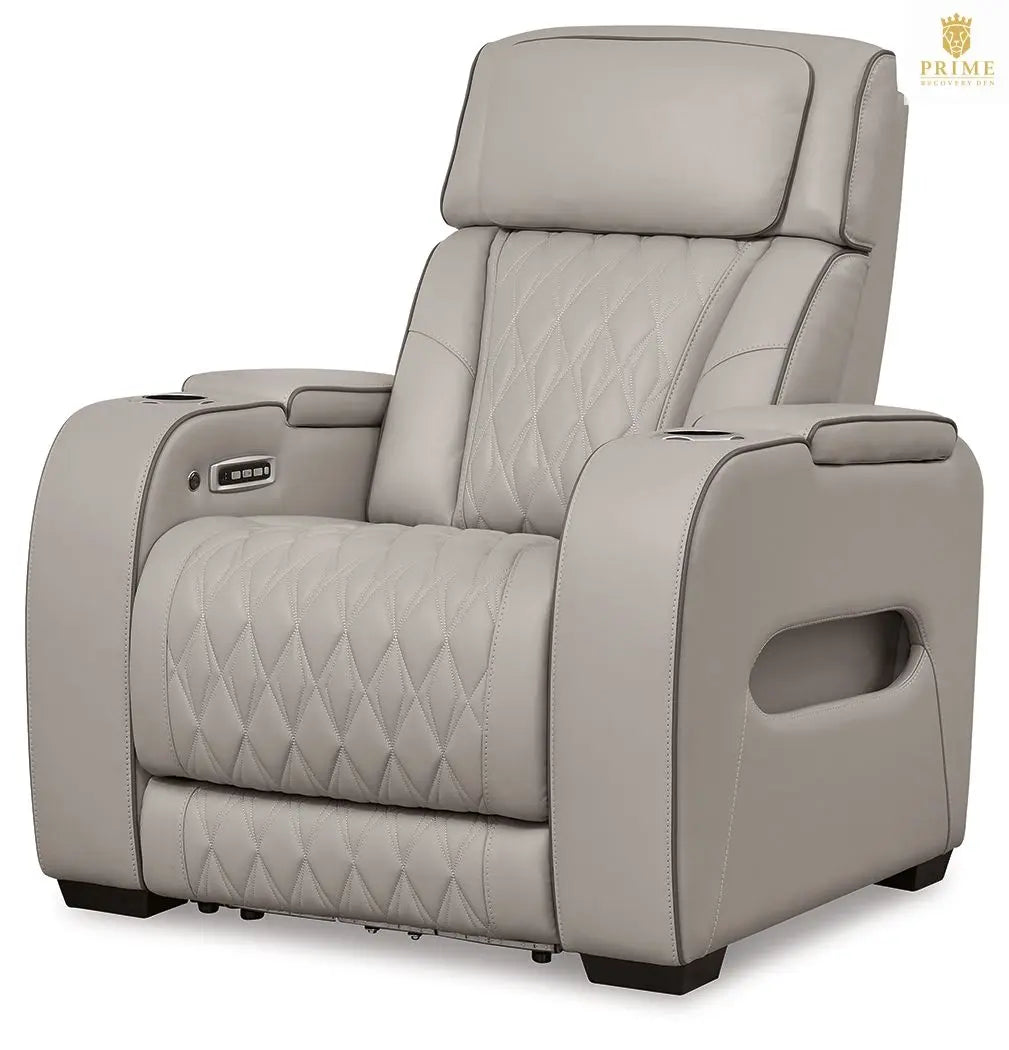
A power recliner can go a step further by letting you move from an active, forward-leaning posture to a supported lean without getting up. Our Boyington Power Recliner Chair pairs a power recline with an adjustable headrest and diamond-stitched upholstery, so you can settle into a position that feels right and keep it there. At $1,599.98, it's built for players who want their seat to be as considered as the rest of the room.
What to Look for in Gaming Chair Lumbar Support
Lumbar support can strongly affect how your lower back feels after hours of play, and it is worth checking rather than guessing. A more reliable approach is to check three things: where the support peaks, how far it protrudes, and whether it stays put when you recline.
The lumbar curve of the lower spine sits roughly two to four inches above the seat surface for most adults. A backrest that peaks in that band cradles the natural inward curve instead of flattening it. If the peak sits too low, it pushes the pelvis forward; too high, and it presses into the mid-back and encourages slouching. When you sit, the support should feel like a gentle hand in the small of your back, not a fist.
Recline changes the equation. As you lean back, your weight shifts from the spine into the seat and backrest, which reduces the load on the lower back. A chair that locks at several recline angles lets you find the point where your shoulders relax and your lower back stays in contact with the support. If the backrest loses contact with your lumbar curve when you recline, the support is doing nothing.
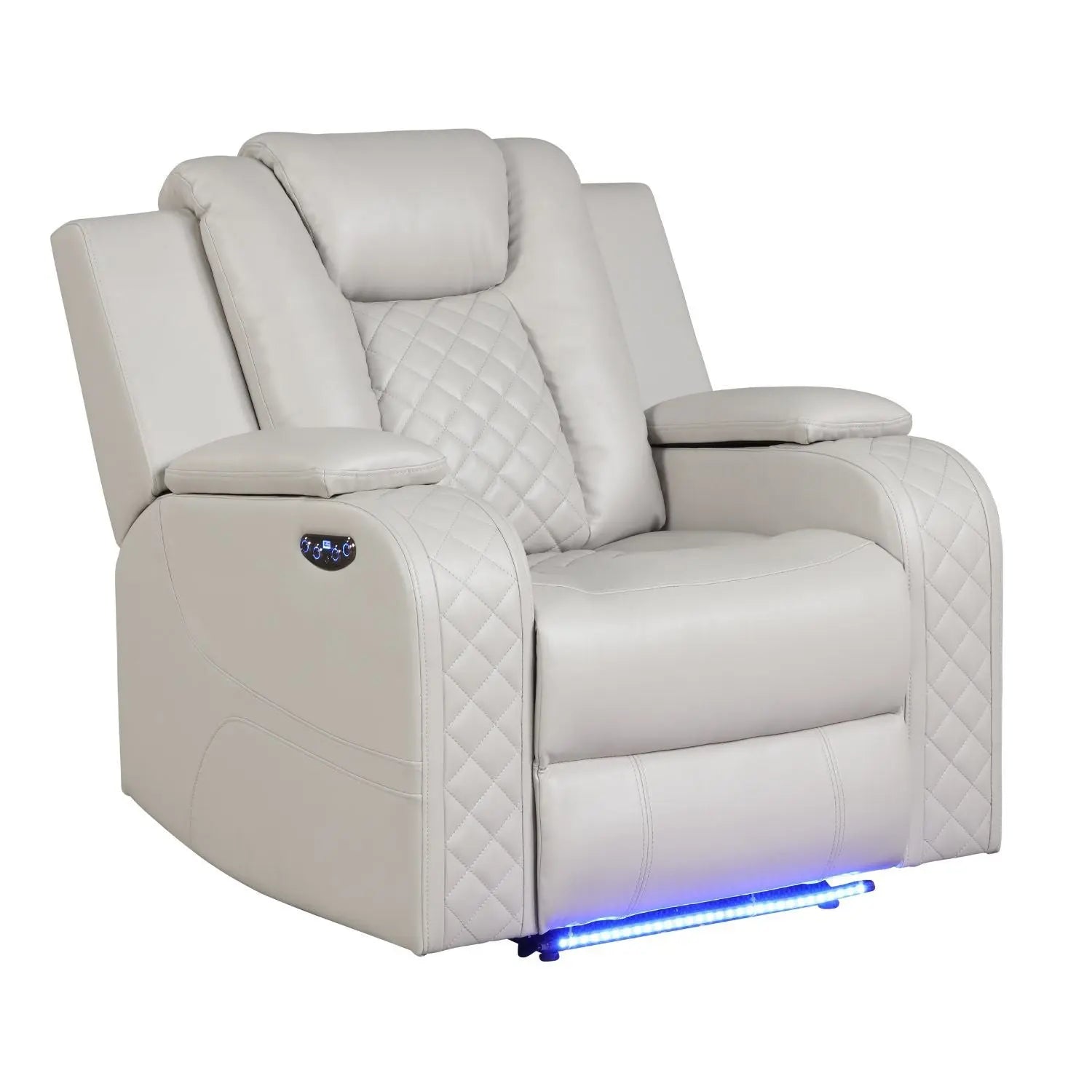
Our Benz Power Recliner Chair is built around this idea. The power recline lets you move from upright to a supported lean without getting up. The adjustable headrest lets you set your preferred head and neck support, and integrated cup holders keep drinks within easy reach. At $1,588.98, it is an option for a game room where comfort and convenience both matter.
Test any chair for at least twenty minutes before committing.
How to Set Up Your Seat for Better Gaming Chair Posture and Adjustment
A recliner cannot fix a workstation that fights it. Chair comfort depends on the whole setup: monitor height, keyboard and mouse reach, desk height, and foot support all change how much work your back and shoulders do during a long session. Set the seat first, then adjust everything around it.
Start with seat height. Your feet should rest flat on the floor or a footrest, and your knees should sit roughly level with your hips. If your feet dangle, add a footrest; if your knees rise above your hips, lower the seat. Seat depth matters next: leave about two to four inches between the back of your knees and the front edge of the seat. Too deep, and the edge presses into your calves; too shallow, and your thighs take the load instead of the seat.
Then set the recline. A slight lean, roughly 100 to 110 degrees from upright, takes pressure off the lower back and spreads your weight across a wider surface. Find the angle where your shoulders relax and your head rests comfortably without tilting forward to see the screen. Adjust in small steps and give yourself a few sessions to settle in.
Now bring the desk and screen to the chair. Your monitor should sit at or slightly below eye level, about an arm's length away, so your neck stays neutral. Your keyboard and mouse should be close enough that your elbows stay near your sides and your wrists stay straight. If you have to reach forward, you will round your shoulders within the hour. Desk height should let your forearms rest roughly parallel to the floor when you type.
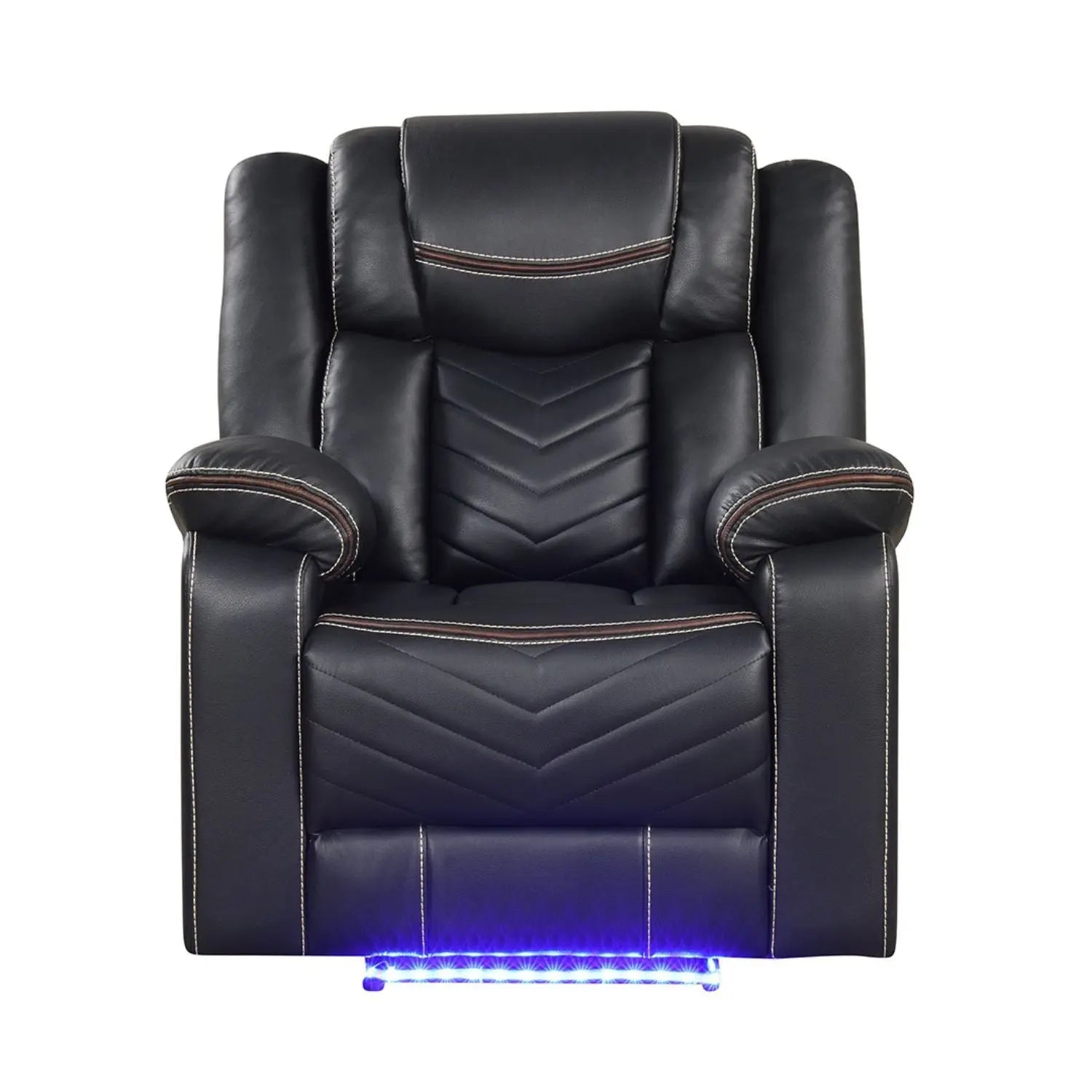
Our Challenger Power Recliner Chair makes this easier because one-touch power reclining lets you change angle without disturbing your game, and built-in USB charging keeps your devices within reach so you are not leaning forward to plug in. The plush foam cushioning provides soft seating for extended relaxation, and the integrated LED base lighting creates an ambient glow around the chair. At $1,108.98, it is a practical option for a home theater or man cave, and it turns setup from a chore into a seat you can fine-tune until it feels right.
Use a proper stand or arm to set your monitor height before you settle in for a long session.
Building Breaks Into Your Long Gaming Sessions
Even the best seat can't hold you still forever, and it shouldn't have to. Plan short breaks every hour or so: stand up, roll your shoulders, walk to refill a drink. A two-minute reset keeps circulation moving and interrupts the stiff, locked-in posture that builds up during intense play.
Use the recline to change position during longer stretches, moving from upright to reclined and back.
Recliners From Prime Recovery Den for Extended Play
If you're building a space for long sessions, three of our power recliners are a good place to start. The Boyington offers an adjustable headrest and a distinctive upholstered look. The Benz works well for those who want lighting, USB charging and cup holders built in. The Challenger offers plush foam cushioning, LED base lighting and power reclining at $1,108.98 for a home theater or man cave.
For a full-size option, the Zuriel 81-Inch Reclining Sofa lets two people share a 135° recline in synthetic leather, available in Dark Brown or Black at $1,408.98. Allow at least 12 inches of wall clearance when reclining, since the fully reclined depth is 47 inches. Measure your room before you order.
Here is how the recliners we highlighted compare at a glance.
| Product | Best for | Key feature |
|---|---|---|
| Boyington Power Recliner Chair | Players who want a considered, power-reclining seat | Power recline, adjustable headrest, diamond-stitched upholstery |
| Benz Power Recliner Chair | Game rooms where comfort and convenience both matter | Lighting, USB charging, built-in cup holders |
| Challenger Power Recliner Chair | Home theaters and man caves | Plush foam cushioning, LED base lighting, power reclining |
| Zuriel 81-Inch Reclining Sofa | Sharing a game night with two people | 135° recline in synthetic leather, Dark Brown or Black |
Prices of recliners highlighted in the article
Choosing Your Seat for Your Next Game Night
The best seat is the one you forget about once the game starts. Think about how you play, how long your sessions run and who else will be sitting in the room. A power recliner suits solo play, while a sofa suits game nights with friends.
When you're ready to build the rest of the room, our guide to custom gaming tables covers how to pair a seat with a table that fits your space. Whichever direction you choose, a seat built for comfort can make long sessions more enjoyable. Explore the full collection at Prime Recovery Den, and find the recliner that lets you play on your terms.
Frequently Asked Questions
Are ergonomic chairs better for gaming?
For long sessions, a chair that supports the lower back, lets you adjust seat height and armrests, and allows reclining generally holds up better than a basic seat. Ergonomic seating spreads your weight and reduces the strain that builds when you sit forward for hours. Prime Recovery Den's Boyington Power Recliner Chair with Power Headrest, priced at $1,599.98, pairs power recline with an adjustable headrest. Test any seat by sitting in it for at least 20 minutes before you commit.
Are gaming chairs or office chairs more comfortable for long sessions?
Office chairs often offer better seat cushioning and more precise height and lumbar adjustments, while gaming chairs tend to focus on bolstered sides and a sporty look. Comfort depends more on fit than category. Look for a seat that matches your body size, supports the lower back, and reclines far enough for relaxed breaks. Recliners such as the Benz Power Recliner Chair with LED Lighting, USB Charging and Power Headrest, at $1,588.98, offer one-touch recline and an adjustable headrest.
How often should you take breaks during a long gaming session?
A common approach is to stand up, move around, and change position roughly every hour, even if you feel fine. Short breaks help reduce stiffness in the neck, shoulders and lower back. Use the recline function during pauses to shift weight off your spine. Setting a timer can make breaks a habit rather than something you forget during a match.



Leave a comment
This site is protected by hCaptcha and the hCaptcha Privacy Policy and Terms of Service apply.